

Description
Altratom eBook Generator is an AI eBook creator for Windows that turns a topic into a formatted, ready-to-use eBook.
Turn any idea into a professional eBook – in minutes
Altratom eBook Generator is a Windows desktop app that plans, writes, illustrates and formats complete eBooks with AI. Give it a topic, choose your audience, tone and language, and it produces a polished, print-ready PDF – with a cover, chapter images, a clickable table of contents and your affiliate links woven naturally into the content.
What it does
- AI chapter planning – get a title, subtitle and a logical chapter plan you can edit, reorder, add to or trim before anything is written.
- Complete chapters written for you – short, medium or long chapters in 40+ languages and 12 writing tones, aimed at the exact reader you choose.
- Affiliate offer integration – describe your offer and link once; the AI recommends it where it genuinely helps the reader, using your exact affiliate URL. Links stay clickable in the PDF.
- AI covers and chapter images – or design your own cover in the built-in Cover Designer, or use your own images.
- 108 ready-made templates – plus create your own just by describing the look you want, or import template files.
- Edit anything – built-in rich-text chapter editor, and one-click regeneration of any chapter, image or cover with your own extra instructions.
- Professional export – PDF (A3, A4, A5, Letter, Legal, Tabloid) with cover page, contents page, page numbers, margins and font control, or a single self-contained HTML file.
- Smart image compression – keep your eBooks light without losing quality.
- Write it yourself too – start a blank eBook and use AI only where you want it.
Bring your own AI
Works with OpenAI (ChatGPT), Claude, Gemini, DeepSeek or a free local Ollama model for writing, and OpenAI or Gemini for images. You use your own API key, so you only pay your AI provider for what you use – there are no extra monthly fees from us.
Requirements
- Windows 10 or 11 (64-bit), about 400 MB free disk space
- Internet connection for AI generation and licence activation
- Your own AI API key (usage billed by your AI provider – not included)
Your licence
One-time purchase. Your licence key appears in your customer dashboard after purchase and activates the app on one PC (you can move it to a new PC at any time). Support can be found in your customer dashboard at www.altratom.com.
Altratom eBook Generator FAQ
Which AI services does it work with?
OpenAI, Claude, Gemini, DeepSeek or Ollama, so you can use the AI service you prefer.
Can it write in other languages?
Yes. eBooks can be written in more than 40 languages and 12 writing tones.
Can I make a 3D cover for my eBook?
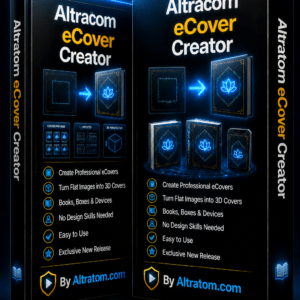
Yes. Pair it with Altratom eCover Creator to turn your cover into a professional 3D book or bundle image.
How do I get support?
Altratom customers can submit a support ticket from their Altratom customer account.
Why use an AI eBook creator
Writing an eBook from scratch can take weeks. An AI eBook creator does the heavy lifting: it plans the chapters, drafts the text and lays it out, so you can spend your time editing and adding your own experience. The finished eBook can be a lead magnet, a product to sell, or a book for Amazon KDP. For a step-by-step plan, read how to plan and produce a short eBook in a weekend.
Reviews
There are no reviews yet.